01 / Front desk
OPEN THE CLASS. FIND THE MEMBER.
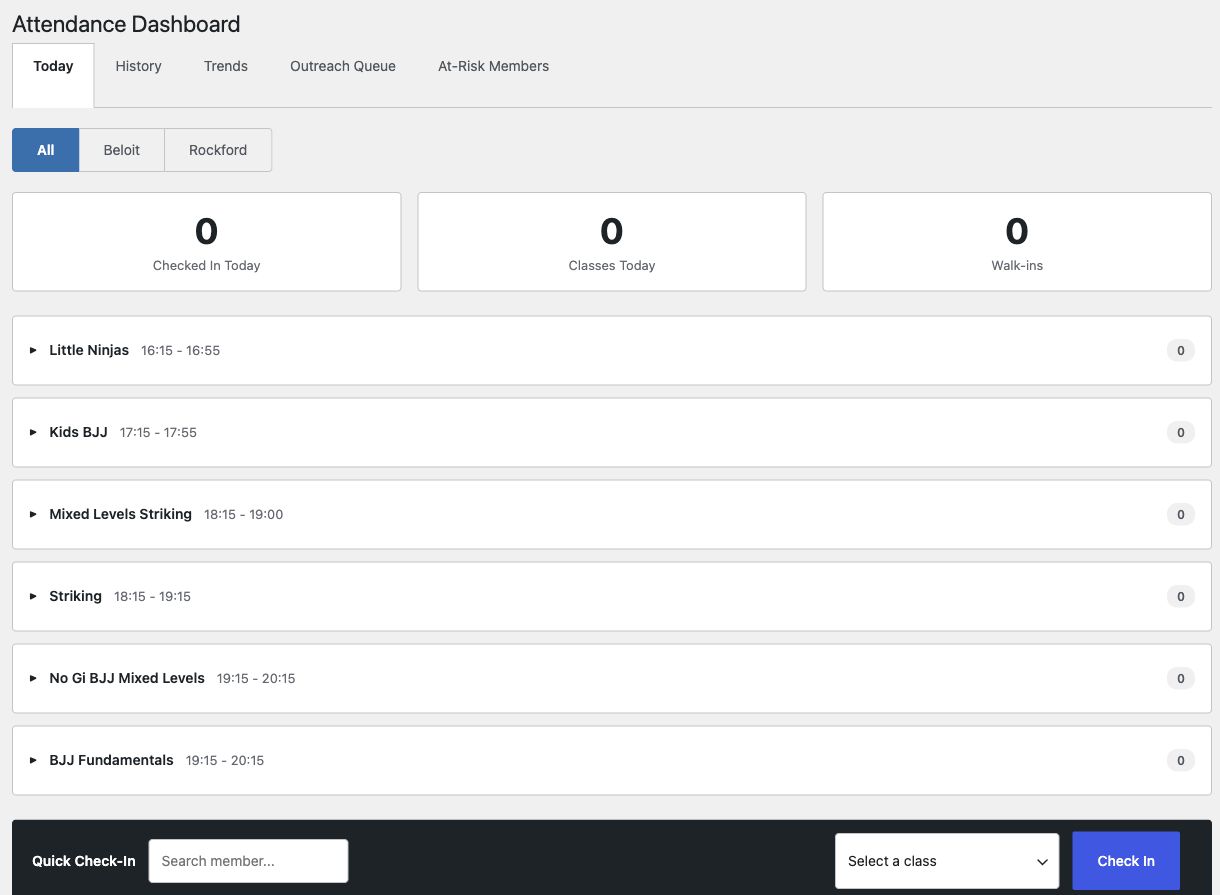
Choose the member and class in Quick Check-In. Then find the visit in History. The Today view keeps classes together, with location filters for staff working across sites.

Gym management for martial arts schools
The class starts in ten minutes. Know who’s coming, whose waiver needs attention, and what your coach needs to see.
GymCore brings your member records, attendance and belt ranks into the WordPress site you control.
From $39/month. Annual plans available.
Inside GymCore
See where your staff works: the class schedule, attendance desk and waiver publication controls.
01 / Front desk
Choose the member and class in Quick Check-In. Then find the visit in History. The Today view keeps classes together, with location filters for staff working across sites.
02 / Class planning
Filter the calendar by location, program and instructor. Switch between week and month views, and keep capacity, trial spots and recurring class details close at hand.
Moving a recurring class can affect future occurrences. Have the right staff member review the change before saving.

03 / Waiver administration
A draft does not change the active waiver. Publication requires an impact preview, a reason and an exact confirmation phrase. Forward rollback creates a new draft rather than rewriting history.
See which members need to sign the current waiver. Your school stays responsible for its legal terms and consent policies.

WordPress + WooCommerce
Keep your website and gym records in a setup your business controls. Work with your own team or a WordPress agency to keep it running.
Your content, commerce and gym records live in the same WordPress installation. Your team or agency looks after the site.
Choose a WooCommerce-supported gateway that fits your country and billing model. GymCore takes no transaction cut. Processor and extension fees still apply.
Hosting, backups, updates and email delivery need an owner. Agree on those jobs with your team or agency before the first class.
Choose your starting point
GymCore AI / Staff assistance
Put the staff question next to the gym’s operating tools. Keep the person responsible for the decision in the loop.
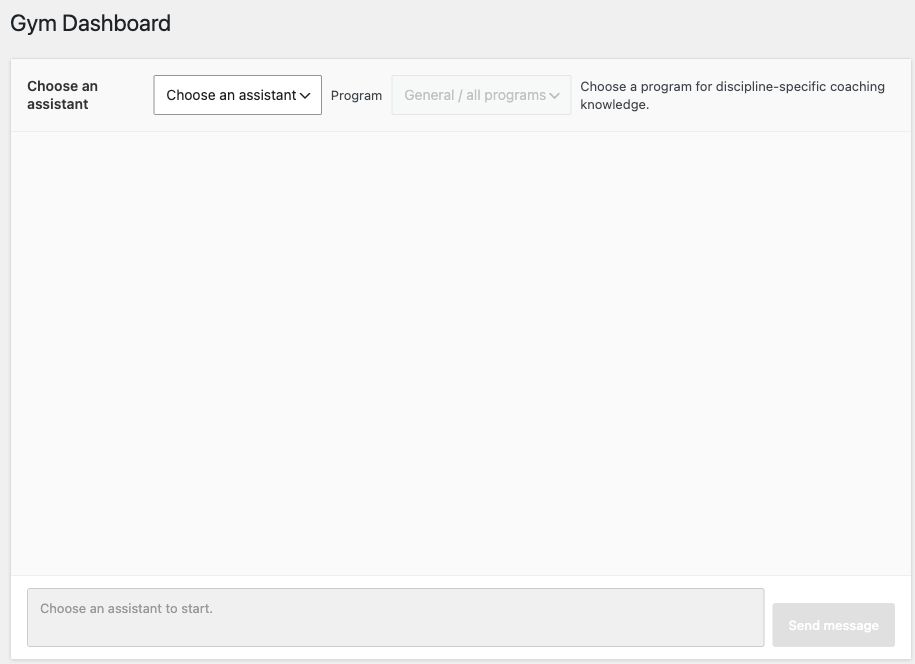
GymCore AI brings gym context into the staff conversation: a prospect’s next step, a student’s training history or the day’s schedule. Explore Sales, Coaching, Finance and Admin assistance for your team.
Growth brings Sales and Admin assistance to the front desk. Pro adds Coaching and Finance for deeper review.
Growth · Sales
Bring trial options and prospect notes together before the next conversation. Prepare a follow-up for staff to review, with the right person and class in mind.
Pro · Coaching
Prepare for class with attendance, rank history and program context. The coach has a better starting point for the conversation and still makes the training decisions.
Pro · Finance
Find the failed payments and subscriptions that need attention. Prepare a payment follow-up for review; sending and payment status remain in your billing workflow.
Growth · Admin
Ask about today’s attendance, classes and announcements. Review proposed changes before they are carried out, then check the result in the gym’s records.
Use a compatible WordPress installation with GymCore AI and a customer-owned provider account. Your GymCore plan covers assistant access. The AI provider bills usage separately; there is no separate GymCore AI price.
Your configured AI provider processes the context sent with a request. GymCore also keeps conversation and action records on your site. Review provider terms, staff permissions and retention settings before using member data.
GymCore AI helps staff prepare and review work. People still make coaching decisions, approve proposed changes and check that the intended result happened.
Choose your next step
Start with the software plans. If you need help with your setup or a move from another system, talk it through first.
56 seconds / Before the first class
See how scheduling, check-in and training context fit into the work around the mat.